


EasyClean
3.917.00 Reviews
App Specs
- Version
- 1.3.0
- Updated On
- License
- Free
- Downloads
- 100,000+
- Developer
- BlackGoat
- Categories
- Productivity
- Platform
- Android
Screenshots

 Analysis by AppCompare
I tend to notice storage trouble at the least convenient moment: when I want to save a photo, install something, or download a file. A cleanup tool can help, but it is also easy to delete something useful while chasing a little free space. EasyClean is a free productivity app from BlackGoat for reviewing temporary and leftover files. I’d approach it as a tool for making a more deliberate cleanup, not as a reason to erase anything the app flags without looking.
Where cleanup apps can create friction
The tricky part of cleaning a phone is deciding what is safe to remove. A temporary file may be disposable, while a file that looks unfamiliar could still belong to an app or a task you care about. My practical rule is to treat a scan as a shortlist for review, rather than permission to clear everything automatically. That is especially useful if you share your phone with work, keep offline documents, or use apps that store files locally.
There is another common snag: cleanup does not always mean a phone will feel faster. Freeing storage can help when the device is nearly full, but it does not resolve every cause of lag or battery drain. I would start with the specific problem I am trying to solve, then check whether the proposed cleanup addresses it, instead of expecting one pass to fix every performance issue.
Setup checks before removing anything
Before I use a cleaner, I make sure the phone is charged enough to finish the task and that anything important is saved somewhere I can reach again. I also close any task that is actively downloading or editing files. Those are simple precautions, but they reduce the chance of interrupting something I meant to keep.
EasyClean is listed for devices running Android 7.0 or later, and its current version is 1.0.0. It is rated for Everyone. The app has a 4.0 average from around 177 ratings, with over 100,000 installs. Those figures give a useful snapshot of its audience, but they do not tell me whether a particular suggested deletion is right for my phone. I still review the items before acting.
A safer recovery workflow
If I am unsure about a file, I do not clear it just to see what happens. I note what the app has identified, leave questionable items alone, and check whether the phone’s own storage tools or the relevant app can explain them. If I remove something and an app behaves differently afterward, I stop further cleaning and restore the file or app data only through a method I trust. A cautious, small cleanup is easier to assess than a sweeping one.
This approach is also useful when a scan does not seem to change the available space. I would check the phone’s storage view again after the cleanup, allow any system figures time to refresh, and look for large files or downloads that I can identify personally. If space remains tight, the issue may be content I want to keep rather than temporary clutter. Moving or deleting that content deliberately is better than repeatedly clearing files at random.
Worth Reading Before You Choose

EA SPORTS FC Mobile 26 Is a Bigger Football Game, but It Takes Time

Flipboard Shows What News Apps Must Do Beyond the Feed

Switching to Android Auto Means Rethinking Your Driving Routine

Google Calendar Makes a Crowded Week Easier to Manage

Ludo King Makes the Most of the Minutes Between Plans

Baby Panda World Brings Quick Play to Modern Phones, but Its Game Library Feels Busy
Getting Started with EasyClean
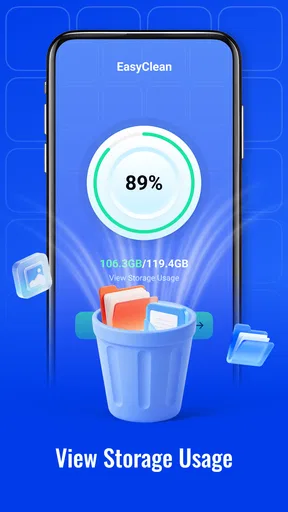
First off, installing EasyClean was a breeze. A quick trip to the app store, a tap on download, and voilà, it was ready to roll. The interface? Super intuitive. Even if you’re not the tech-savvy type, you’ll find your way around in no time. The app greets you with a clean dashboard that shows your phone’s storage status right off the bat.
The Cleanup Process
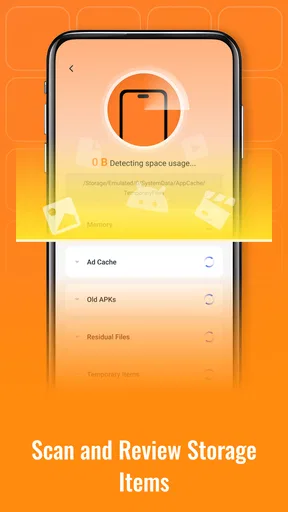
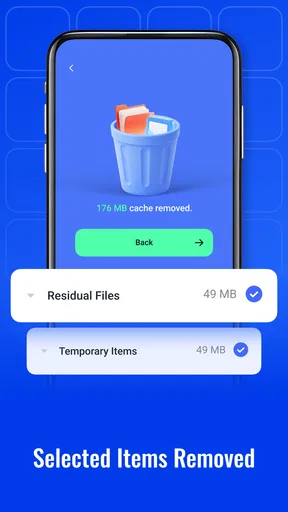
Now, onto the main event: the cleanup. With one tap, EasyClean starts scanning your device for unnecessary files. It looks for junk files, cache, and those sneaky duplicates that eat up space. The app even highlights large files you might have forgotten about, giving you the option to delete them if you want.
What I love is the detailed breakdown it provides. You get to see exactly what’s taking up space and make informed decisions. It’s like having a personal assistant who knows your phone inside and out. It even offers a quick boost option, which clears up RAM and speeds up performance in seconds.
Making a cleanup useful in everyday life
I find this kind of tool most useful when I have a clear, immediate reason to check storage. Imagine getting ready to record a family event and discovering there is not enough room for a new video. Rather than deleting recent photos in a rush, I would use a cleaner to review temporary and residual files first, then inspect any large items it surfaces. The important distinction is that a large file is not automatically junk; a video, offline map, or downloaded document may be exactly what I want to keep.
A less obvious habit is to make cleanup occasional and tied to a problem, rather than treating it as a daily maintenance ritual. If the phone has plenty of room and is behaving normally, repeated scans may add little value. When storage is tight, a short review can help me decide what to remove, while the phone’s own file browser remains the better place to organize personal documents and media I recognize.
That balance is where EasyClean’s review-focused purpose makes sense to me. It can help surface items worth checking, but it cannot know the personal importance of every file. I would keep that responsibility with myself, especially before removing anything tied to a project, a trip, or an app I rely on.
Additional Features Worth Noting
But wait, there’s more! EasyClean isn’t just about cleaning. It also has a battery saver feature that optimizes your phone’s battery usage. It identifies power-hungry apps and offers suggestions to extend your battery life. I didn’t realize how much I needed this until I tried it.
Plus, there’s an app manager that helps you easily uninstall multiple apps at once. It’s perfect for those times when you’re doing a digital declutter. I found it particularly handy when I realized I had a bunch of apps I hadn’t used in months. It’s like Marie Kondo for your phone!
How it fits beside built-in tools
For straightforward file removal, the storage controls already on a phone are often enough: they are a sensible first stop for checking what is taking space and managing familiar content. A dedicated cleaner is more appealing when I want a focused review of temporary or leftover files in one place. I would not replace the built-in file manager with it, though. The two serve different purposes: one helps inspect cleanup candidates, while the other is more suited to handling folders and files I know I want to keep or move.
The same distinction applies to battery concerns. A battery-related suggestion can be a useful prompt to review habits, but if a phone consistently loses charge, I would first look at its own battery settings and recent usage. A cleaner cannot make an aging battery new or explain every background process. For someone who wants detailed control over files, a manual file manager may be preferable; for someone who wants a guided starting point, a cleaner can be more approachable.
When the app may not be the cause
If the phone still feels slow after a cleanup, I would avoid repeating the scan and look at other likely causes: a demanding app, a system update in progress, a weak connection, or simply too many tasks open. Likewise, a battery draining quickly may have more to do with screen use, signal strength, or a particular app than with residual files. These checks are more useful than assuming that every performance issue is a storage problem.
If EasyClean does not show a candidate that explains the shortage, I would compare the phone’s storage categories and review large downloads, videos, and offline content myself. If the available space figure looks unchanged right away, I would give the system a moment to refresh before taking further action. That avoids turning a minor delay into an unnecessary round of deletions.
My Overall Experience
Overall, I’ve been really impressed with EasyClean. It’s lightweight, fast, and does exactly what it promises. My phone feels faster, and I’ve reclaimed a ton of storage space. It’s like a breath of fresh air for my device. I’d say it’s a must-have if you’re looking to keep your phone running smoothly without the hassle.
Sure, there are other cleanup apps out there, but EasyClean’s straightforward approach and additional features set it apart from the rest. If you’re tired of running low on space or dealing with a sluggish phone, give EasyClean a try. You might find yourself wondering how you managed without it!
Who I would recommend it to
I would suggest trying it if you are comfortable reviewing cleanup suggestions and want a simple way to look for temporary or residual files. It is also a reasonable fit for someone who tends to accumulate apps and wants to make a considered pass through what is installed. Since it is free, it is easy to test without committing to a purchase; just keep the same careful approach to deletions that you would use with any file tool.
I would skip it if you expect a cleaner to recover personal files automatically, guarantee a speed boost, or solve every battery problem. It is also not the best choice for someone who prefers to control every folder manually or who is uncomfortable deciding whether an unfamiliar item is safe to remove. In those cases, the phone’s built-in storage view and a familiar file manager provide a more direct route.
My verdict is that EasyClean is most helpful as a prompt to inspect clutter, not as a substitute for judgment. Use it when storage pressure gives you a reason to review files, take time with anything you do not recognize, and look elsewhere when the real issue is unrelated to storage. With those expectations, it can make a routine cleanup feel more manageable without encouraging a risky one.
Pros
- User-friendly interface for quick navigation.
- Effective cleaning for junk and cache files.
- Boosts device performance significantly.
- Includes battery optimization features.
- Lightweight app with minimal storage use.
Cons
- Contains in-app ads that can be intrusive.
- Some features require a premium upgrade.
- Occasional minor bugs reported by users.
- Lacks advanced customization options.
- Limited support for older devices.
FAQs for EasyClean
What is EasyClean and how does it work?
EasyClean is a comprehensive cleaning application designed to optimize your smartphone's performance. It works by scanning your device for unnecessary files, cache, and apps that are consuming excess resources. With a simple interface, EasyClean allows users to quickly identify and delete files, freeing up storage and improving speed.
Is EasyClean safe to use on my device?
Yes, EasyClean is safe to use. It is developed with advanced security protocols to ensure that it only targets junk files and cache, leaving your important data untouched. The app undergoes regular updates and security checks to maintain its integrity and protect user privacy.
Does EasyClean support both Android and iOS devices?
EasyClean is designed to support both Android and iOS platforms. However, the features might slightly vary depending on the operating system due to different system architectures. Users can download the app from the Google Play Store for Android and the Apple App Store for iOS devices.
Are there any in-app purchases or subscriptions required?
EasyClean offers a free version with basic cleaning features. However, for advanced options like scheduled clean-ups and deep memory optimization, a premium subscription is available. The subscription is optional and can be purchased on a monthly or yearly basis, depending on user preference.
How often should I use EasyClean to maintain my device's performance?
For optimal performance, it's recommended to run EasyClean at least once a week. This routine helps in regularly clearing out unwanted files and managing storage effectively. Users who frequently download apps or browse heavily might benefit from more frequent clean-ups to ensure their device remains fast and efficient.


